Do LED Strip Lights Get Hot? Heat Sinks, Channels and Lifespan
LED strip runs warm, not hot, yet heat is still what decides how long it lasts. How mounting, channels and watts per foot change the picture, and how to check an install.
Do LED strip lights get hot? Not the way a halogen or incandescent lamp does. A strip running at normal output feels warm, sometimes very warm, but you can usually rest a hand on it. That's the honest short answer. The longer answer is that the temperature you feel on the surface isn't the one that matters. What decides how long the strip lasts and how well it holds its color is the temperature at the LED junction, inside each chip, and that depends on how well the heat can get out.
So the useful question isn't "does it get hot?" It's "where does the heat go?" On aluminum, it spreads out and leaves. On wood, drywall or foam, it stays in the strip.
Warm, Not Hot: What You Feel vs What Matters
An LED doesn't throw infrared heat forward in its beam the way a halogen does, which is why the object you light stays cool. But not all the power going into the strip becomes light. Even efficient white LEDs turn well under half of their input into light, and the rest becomes heat right at the chip. If you want the physics, our article on how LEDs work explains where that energy goes.
That heat has to travel from the chip through the LED package, the solder, the copper of the circuit board and the adhesive tape, into whatever the strip is mounted on. Every layer adds resistance to heat flow. The junction always runs hotter than the board you can touch, and you can't measure it directly on site. That's why spec sheets give you proxies: an ambient operating range, and on many products a marked board or case temperature point (often labeled Tc) with a maximum value.
Why Heat Shortens Life and Shifts Color
LEDs rarely fail outright. They fade. Lifetime is usually stated as L70: the hours until output falls to 70% of the original. Those figures come from standardized testing (IES LM-80 measures output over time, and TM-21 projects it forward), and they only hold at the temperatures they were measured at. Run the same strip hotter and it fades sooner. A lifetime number with no temperature attached tells you very little.
Heat does three other things you'll see in the field:
- Color drifts. Phosphor ages faster when hot, so white light shifts over time. Two runs of the same strip, one in aluminum and one on bare wood, can look visibly different after a few years.
- RGB mixes wander. Red LEDs lose more output as they warm up than blue and green do, so a mixed color looks different cold than it does after an hour.
- Adhesive lets go. The tape on the back of the strip softens with heat. A strip peeling off a cabinet bottom is often a heat problem, not a tape problem.
What Drives Strip Temperature
Several factors stack up, and you control most of them.
- Watts per foot. The biggest single factor. A 6 W/ft strip has close to three times the heat to get rid of as a 2.2 W/ft strip.
- LED density and board width. More LEDs per inch concentrate the heat. Double-row and very dense strips put a lot of watts into a narrow band.
- What it's mounted on. Aluminum pulls heat away. Wood, MDF, drywall and foam hold it in.
- Enclosure. Air moving past the strip carries heat off. A closed cove, a sealed lens or a cabinet with glass doors traps it.
- Ambient temperature. An attic, a sun-baked facade or the cabinet above a wall oven starts the strip off warmer.
- Waterproof coatings. Silicone and other encapsulants conduct heat poorly compared with aluminum, so an IP67 encased strip sheds most of its heat through its back and its mounting.
- Dimming level. Running a strip at 70% instead of 100% cuts its heat along with its output.
Worked example: the heat in a 16 ft cove
Take a 16 ft cove on 24V strip and compare three output levels.
| Strip power | Total load (16 ft) | Current at 24V | Driver size (load ÷ 0.8) |
|---|---|---|---|
| 2.2 W/ft | 35.2 W | 1.47 A | 44 W, so a 60 W driver |
| 4.4 W/ft | 70.4 W | 2.93 A | 88 W, so a 96 W driver |
| 6.0 W/ft | 96 W | 4.0 A | 120 W driver |
Most of those watts end up as heat inside the cove. The driver adds its own: at a typical 90% efficiency, delivering 70.4 W takes about 78.2 W from the line, so roughly 7.8 W more turns into heat wherever the driver sits. More lumens per foot usually means more watts per foot unless the strip's efficacy is higher, which is worth weighing in the lumens per foot decision before you pick the brightest option.
Aluminum Channels as Heat Sinks
An aluminum channel does two jobs: it holds the diffuser, and it's a heat sink. Aluminum conducts heat many times better than wood or drywall. Heat moves from the strip into the channel floor, spreads along the length and out to the walls, and leaves from the whole surface of the profile. The more aluminum there is, in wall thickness, width and depth, the cooler the strip runs.
Mount the same strip straight onto wood, drywall or foam board and there's nowhere for that heat to go. Those materials are insulators. The strip runs hotter, fades faster and is more likely to peel.
A few details make the channel work properly:
- Full contact. Clean and degrease the channel before you apply the strip, and press the tape down along the whole length. Air gaps under the tape act as insulation.
- Bare aluminum inside. Don't paint the inside floor of the channel or stick the strip to a layer of something else.
- The diffuser is fine. A cover lens traps a little air, but the aluminum body does the cooling. A closed profile still runs far cooler than a strip on bare wood.
Browse aluminum channels by mounting style, and see profiles and diffusers for how depth and lens choice affect both the light and the heat.
Mounting situations compared
| Mounting | Relative heat at the strip | Advice |
|---|---|---|
| Bare on wood, MDF or drywall | High | Only for low-wattage strip. Put anything stronger in aluminum. |
| Aluminum surface channel | Low | The default for most installs. |
| Recessed aluminum channel | Low to moderate, depending on what surrounds it | Keep insulation and closed cavities away from the back of the channel. |
| Strip in a sealed cove touching insulation | Very high | Redesign: aluminum channel, an air gap from the insulation, lower W/ft or dimming. |
| IP67 silicone-encased strip | Moderate to high | Mount in aluminum, check the ambient rating, don't box it in a second sealed enclosure. |
This is a relative comparison, not a temperature chart. Actual temperatures depend on the strip, the wattage and the room, so treat the table as a guide to which situations need attention.
High-Output Strips Need More Aluminum
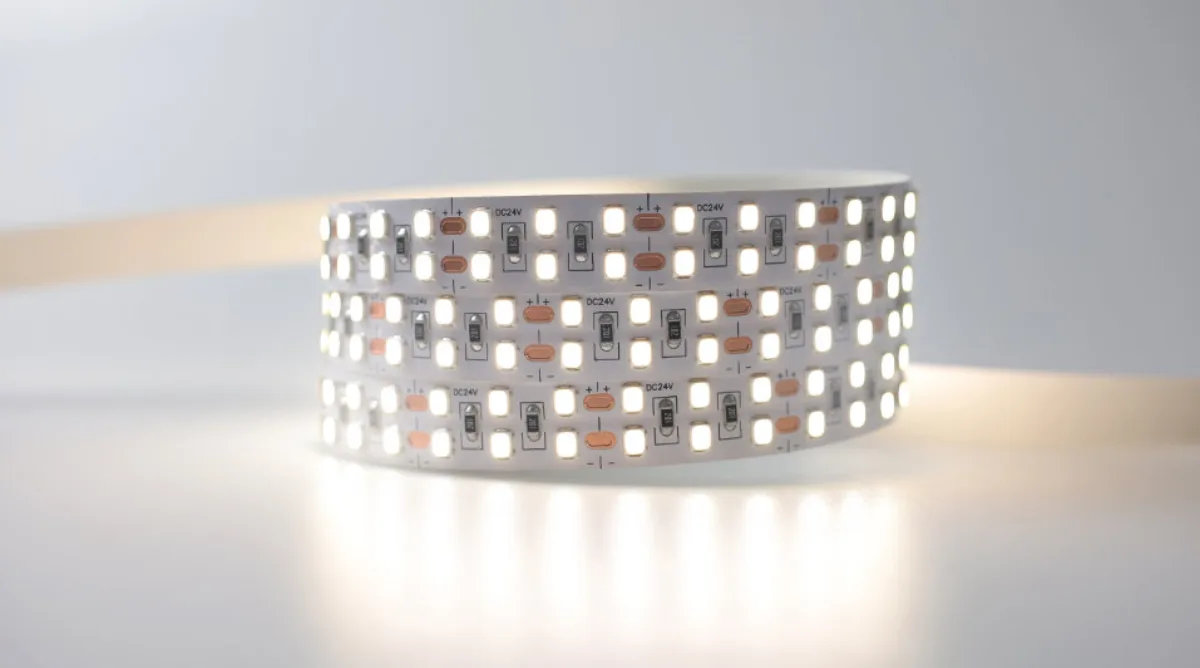
High-output strip is where heat stops being theoretical. Strips in the high-output collection put more watts into each foot to reach their lumen levels, and that heat has to go somewhere.
- Match the channel to the wattage. A micro profile that's fine for a low-power accent strip may be too small for a high-output one. Pick a wider or deeper channel with more aluminum, and check the channel maker's recommended maximum W/ft if one is published.
- Avoid stacking problems. High output plus a sealed enclosure plus a warm ambient is the combination that shortens life fastest.
- Dim when you can. If the space doesn't need full output every night, a dimmed high-output strip runs cooler and still has headroom when you want it.
Insulation, Enclosed Spaces and Drivers
Insulation is the most common hidden heat problem. A recessed channel in a ceiling that later gets blown-in insulation or spray foam is wrapped in a blanket. So is strip pressed against batt insulation in a cove. Keep insulation off the back of channels and strips, and coordinate with the insulation contractor so it doesn't happen after you leave.
Closed spaces build heat over hours: display cases, coves capped with a lens, millwork with glass doors, toe kicks boxed in on all sides. Leave a path for air where you can, use aluminum, or bring the wattage down.
Drivers make heat too. The few watts a driver loses get trapped if it's sealed in an insulated wall cavity or a closed cabinet with no airflow, and driver life drops with temperature just as LED life does. Put drivers somewhere ventilated and accessible. Power supplies and splices generally need to stay accessible under code; confirm the details with the local inspector or a licensed electrician.
Saunas and Other Hot Rooms
A sauna is a special case because the room itself runs far hotter than normal living spaces, and the ceiling is the hottest part. Standard strip, even a waterproof one, isn't designed for that. You need a product rated for the temperature at the mounting position, placed low in the room, with the driver outside. Our sauna and steam room lighting article covers placement and wiring, and the high-temperature collection lists strips built for hot spaces. Ask for the rated operating temperature in writing before you order.
Practical Checks on Site
- Run it for an hour. Leave the strip at full output for at least an hour so it reaches a steady temperature before you judge anything.
- Do the feel test. Rest the back of your hand on the channel or strip. Warm is normal. If you can't comfortably hold your hand there for a few seconds, it's running hotter than it should.
- Use an IR thermometer. Measure at the strip's marked temperature point if it has one. Shiny aluminum reads low on an IR gun, so put a small piece of matte electrical tape on the surface and measure the tape.
- Compare with the spec sheet. Check the measured value against the maximum the manufacturer lists, and check the space against the ambient operating range. An attic or a cabinet over an oven may be outside it.
- Look again later. After a few days, check that the tape is still flat. Lifting edges are an early sign of heat.
Common Mistakes
- High-output strip stuck straight onto wood or drywall. It works on day one and fades or peels within a season.
- A channel too small for the wattage. Micro profiles are made for low-power strip.
- Insulation over recessed channels. Often done by another trade after the lighting is finished.
- The driver sealed in the same closed cavity as the strip. Two heat sources and no airflow.
- Encased outdoor strip used indoors in a closed channel. The silicone holds heat and the channel can't get at it.
- Dirty or painted channel surfaces. The tape doesn't bond fully and air gaps insulate the strip.
- Running at 100% because it's there. If 70% looks right, dim it, and you'll gain life as well as comfort.
Frequently asked questions
Do LED strip lights get hot enough to be a fire hazard?
A correctly installed strip on a properly sized power supply runs warm rather than hot. The real risks are overloaded drivers, poor connections and damaged wiring, so size the driver with headroom, make solid connections and follow the manufacturer's instructions and local code.
Do LED strips need a heat sink?
Low-wattage strip can get by without one, but anything above low output should be mounted in an aluminum channel. The aluminum spreads heat away from the LEDs, which keeps output and color stable and helps the adhesive hold.
How hot is too hot for an LED strip?
It depends on the product, so check the spec sheet for the maximum board or case temperature and the ambient operating range. As a quick field check, if you can't comfortably keep your hand on the strip or channel for a few seconds after an hour at full output, it's running too hot.
Can LED strip lights touch insulation?
Avoid it. Insulation traps heat against the strip or channel and shortens LED life. Keep an air gap between insulation and the back of the channel, and make sure later trades don't cover it.
How long do LED strip lights last?
Lifetime is usually given as L70, the hours until output drops to 70% of the original, measured at a stated temperature. A strip that runs cooler than the test conditions can reach that figure; one that runs hotter will fade sooner.
Specify with ENKORA
Working on a project? Send us the drawings and we will propose strips, profiles and drivers that fit together.